Shred and See
See what your drive still remembers, get a deleted file back, and shred files properly. Windows, offline, honest.
Download the free demo (11.3 MB) Buy the full version, 9 USD
SHA-256 of the demo zip: e797339561993159401dcab00e9579c7f7adf7c73efcd5f8eb1eb8c400f48c8a
The Buy box is itch.io's own checkout, loaded from itch.io. The price is in US dollars, and the download lands in your itch.io library.
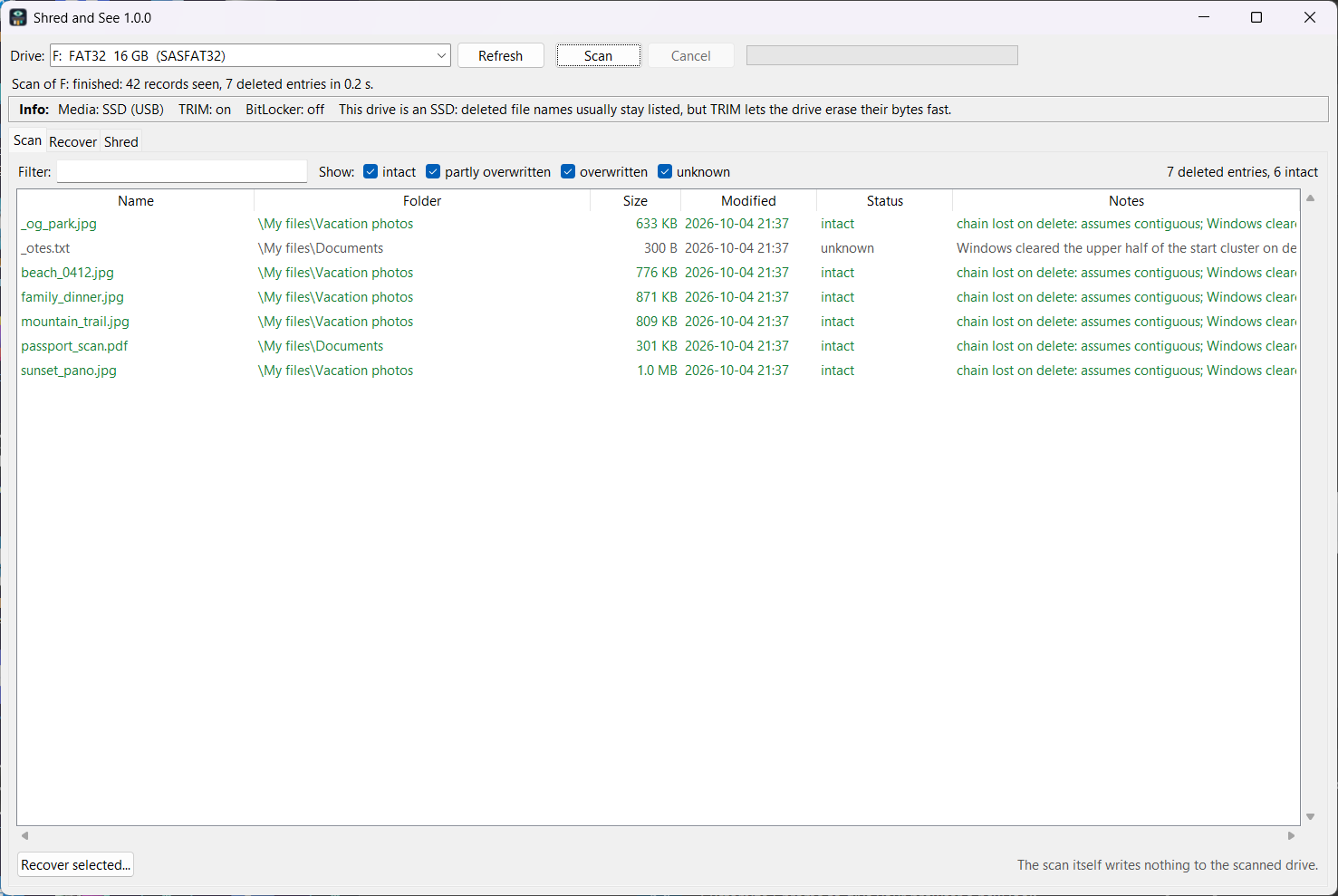
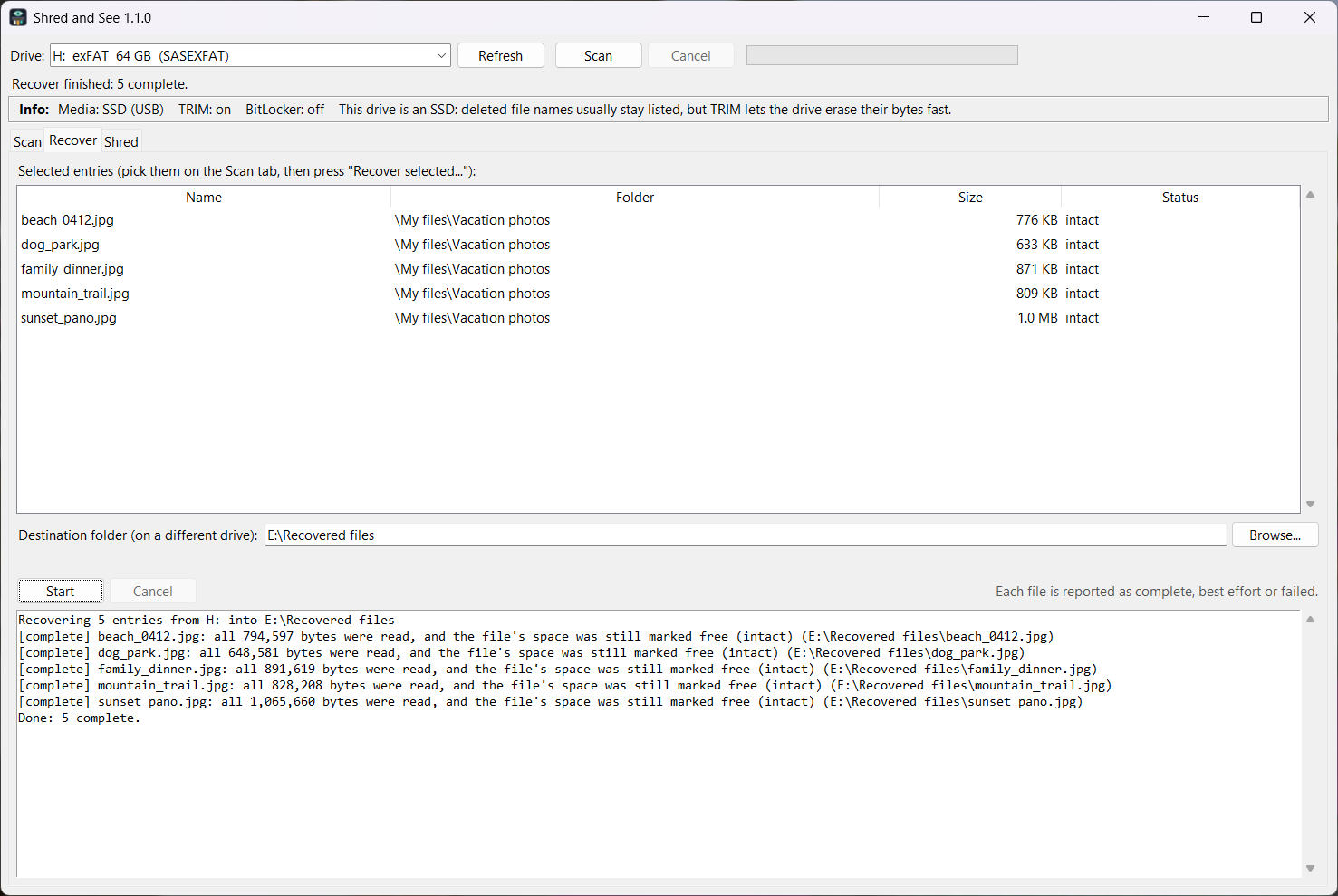
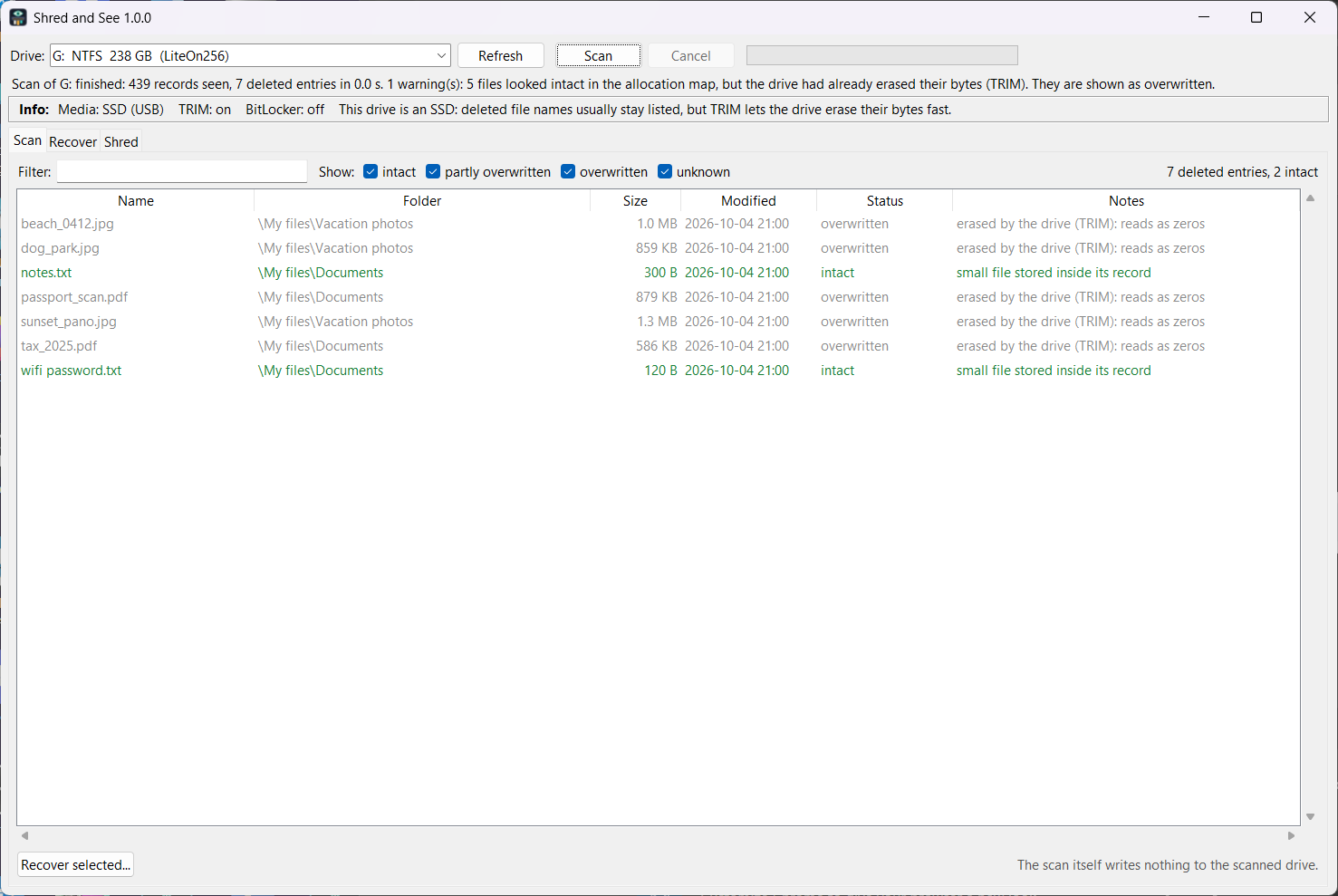
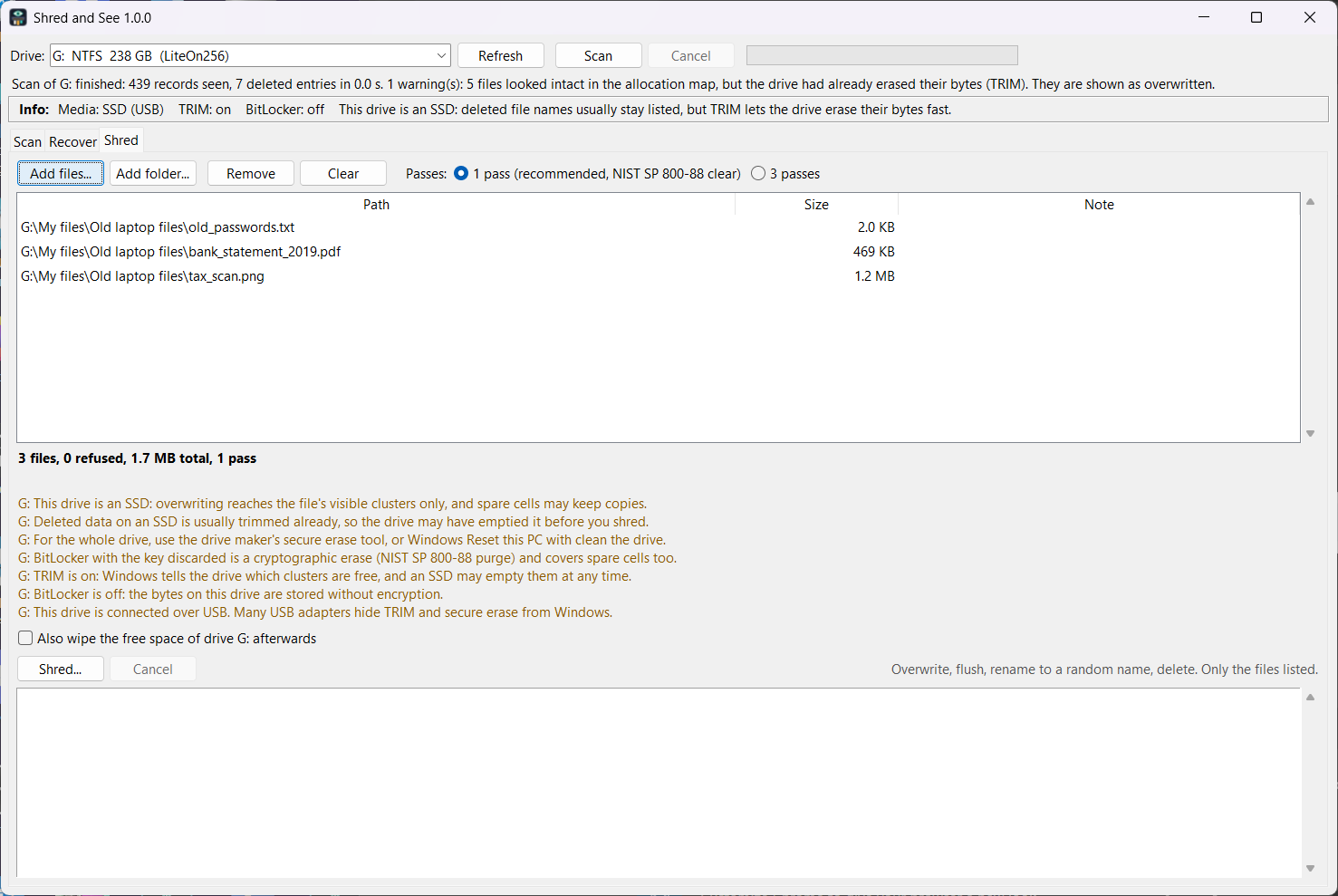
Delete only crosses a file off the list. The bytes stay until something new lands on them, or until the drive empties the space by itself. Shred and See shows you exactly that, on your own drive, and then lets you act on it.
See: pick a drive, a USB stick or a card and the tool reads the file system's own bookkeeping to list deleted files with their name, folder, size, date and an honest status: intact, partly overwritten, overwritten, or unknown. The scan writes nothing to the drive you scan. The free demo does this part.
Recover: copy chosen files out to another drive. Every file is reported as complete or best effort, and a file the drive has already emptied is reported as zeros, not handed back as if it were saved.
Shred: overwrite, rename and delete files and folders, with one pass or three, and optionally wipe the free space of a drive. On an SSD the tool tells you before you start that overwriting cannot reach spare cells, and points you to the drive maker's secure erase.
Tested on real drives
On 2026-10-04 we deleted files on real drives and tried to get them back with the packaged program. On a FAT32 drive, the kind of file system most USB sticks and small cards use, five deleted photos came back byte for byte 25 seconds after the delete.
On two NTFS SSDs the picture was different, and the program said so: one second after a delete a file came back whole, and from thirty seconds on it read as zeros, because an SSD empties deleted space by itself. The names stay listed; the contents are gone. Your drive may be faster or slower.
Shredded files left nothing to recover: after a shred the scan lists only a random name with size zero.
Most sticks and cards of 64 GB and up use exFAT. On 2026-10-05 we repeated the test on an exFAT drive: ten deleted files, from an empty note to a 150 MB video, all came back byte for byte, and a deleted file was still whole five minutes later. The test drive was an SSD partition formatted as exFAT, not a real stick, so your stick or card may behave differently.
First run on Windows
Shred and See is not code-signed yet. The first time you start it, Windows shows "Windows protected your PC". Click More info, then Run anyway. On PCs with Smart App Control on, Windows blocks the program with no Run anyway. Try the free demo first: if the demo starts, the full version starts, because they are the same program.
When you scan a drive, Windows asks for administrator rights, because the scan reads the drive directly. The zip contains SHA256SUMS.txt so you can check the files. If the files you want back are on C:, save and unzip the program on a USB stick or another drive, and recover to that other drive too: every new write to a drive can land on the bytes you want back.
What it will not do
It reads NTFS, FAT32 and exFAT, and no other file systems. It does not find files after a format. It cannot bring back what an SSD has already emptied, and it says so instead of pretending. No file tool can reach an SSD's spare cells; the program says this before every shred on an SSD.
Refund
If Shred and See does not run on your PC, email support@rainlatch.com within 14 days of buying and we will have the purchase refunded through itch.io.
Questions people ask
Is the scan safe for the drive my files were on? The scan writes nothing to the drive you scan. Recovered copies go to a folder on a different drive, and the program refuses a destination on the scanned drive before it starts, because writing there could overwrite the very bytes being recovered.
What does the free demo do? It scans and lists deleted files with their name, folder, size, date and status, on NTFS, FAT32 and exFAT. The full version adds Recover and Shred. They are the same program, so if the demo starts and sees your drive, the full version will too.
My files were on an SSD. Will they come back? Usually the names come back and the contents do not. An SSD empties deleted space by itself, in our tests from thirty seconds after the delete. The program reads each file and reports zeros or overwritten instead of handing you a broken copy. If you notice within seconds, scan at once.
I formatted the drive. Can it find my files? No. After a format the list of files is gone, and this program does not dig through raw bytes to guess at files.
Why does a FAT32 copy say best effort? When FAT32 deletes a file it forgets how the file's pieces were linked, so every FAT32 file larger than one cluster is reported as best effort. The copy is complete when the pieces were in a row, which is the usual case on a stick or card. Open the file to check.
Does it need the internet, an account or an installer? No. It is a zip: unzip it and run. No network, no telemetry, no update check. Nothing leaves your PC.
How does buying work? itch.io takes the payment and keeps the download in your itch.io library. The license is for one person, on the computers that person owns or controls, for private or paid work. Windows 10 or 11, 64-bit.
Privacy: the program runs entirely on your PC. No account, no network requests, no data collected. Sold through itch.io, which handles the payment and provides the Buy box on this page.