In this guide What Balance Blocks is Controls: the weight cycle How the seesaw decides Scoring and combos How it gets harder Tips Questions and answers
What Balance Blocks is
Balance Blocks puts a seesaw in the middle of the screen and drops blocks onto it one after another. You cannot choose where a block lands. You choose what it weighs. Keep the beam inside its tilt limit for as long as you can while the pile grows on both sides.
Controls: the weight cycle
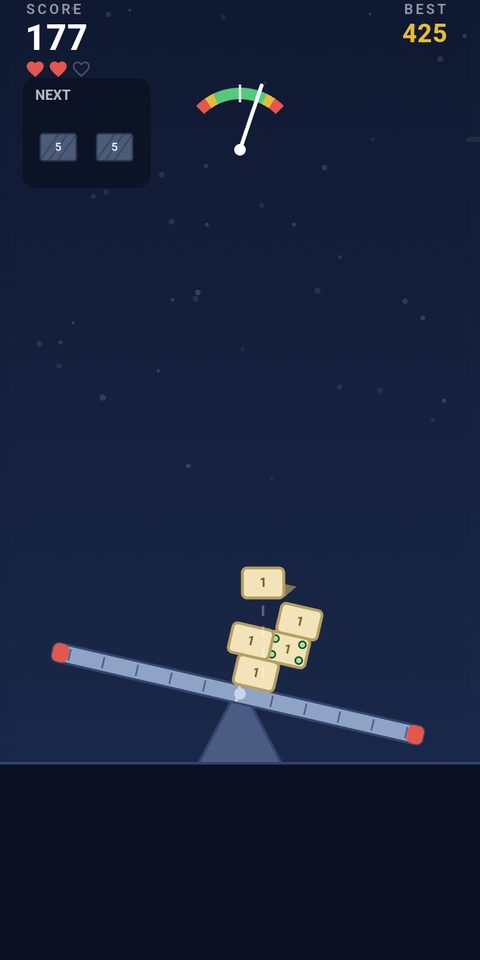
Tap anywhere in the play area while a block is falling to change its weight class. The cycle runs light (1), medium (2), heavy (5) and back to light, and the size, color and hatching of the block change with each tap. You can tap as many times as you like before it lands. A dashed line and a gold marker show the landing spot.
Two kinds of block refuse to change. Locked blocks carry a lock icon and keep whatever weight they arrived with. Boulders weigh 8, are always locked and have to be answered with weight on the other side.
How the seesaw decides
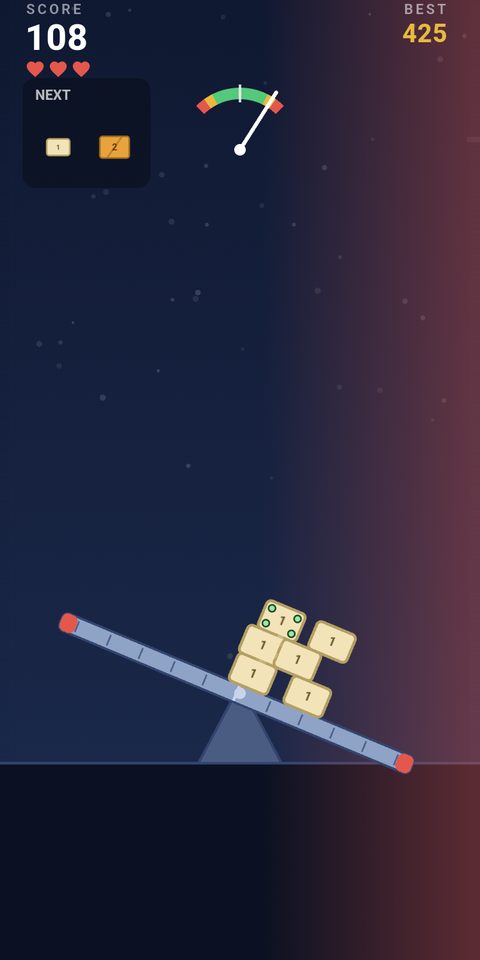
Weight far from the pivot tilts the beam much harder than the same weight near the middle. That is the whole puzzle: make blocks that land on the heavy side light, and blocks that land on the light side heavy. The arc meter at the top shows the tilt. Green is safe, amber is a warning and red is the over-tilt zone.
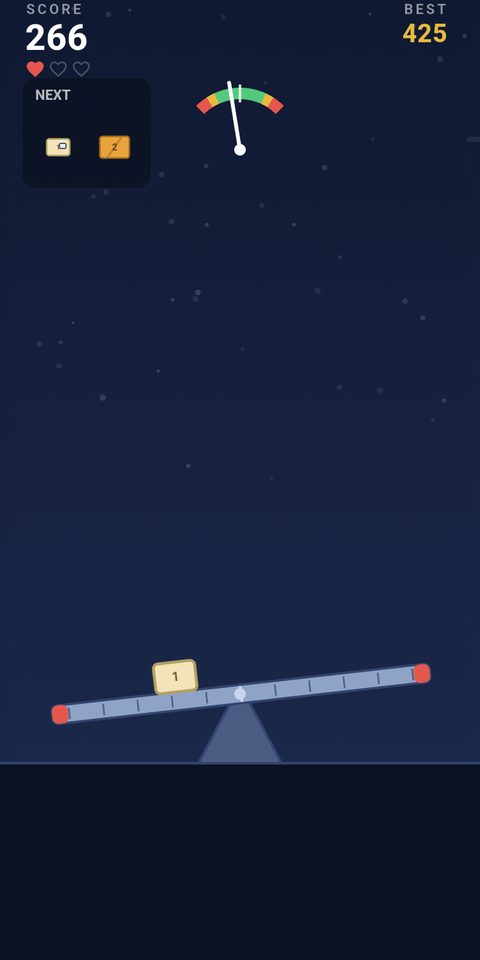
You have three hearts. Staying past the red limit for longer than the grace period, or letting a block slide off the end of the beam, costs one. The beam then resets level, the pile is cleared and your score stays. The run ends with the third heart.
Scoring and combos
Every landed block is worth 10 points and every second survived is worth 1. Landing a block while the beam is nearly level starts a combo: from the second level landing in a row, each one pays five points times the length of the streak. A tilted landing breaks it. Your best combo of the run and your all-time record are shown on the game-over screen.
Once your score passes 20, sticky blocks join in. They have green corner rivets, weld themselves where they land and never slide downhill.
How it gets harder
| What changes | At the start | At the hardest |
|---|---|---|
| Pause between blocks | 1.5 seconds | 0.5 seconds |
| Landing spread | Just over half the beam | The full beam |
| Locked blocks | None for the first 8 blocks | Up to about one in three |
| Boulders | None for the first 12 blocks | Up to one in five |
| Safe tilt | About 26 degrees | About 16 degrees |
| Grace before a heart is lost | 1.5 seconds | 0.9 seconds |
Everything in the table is driven by the number of blocks you have landed, so two runs of the same length face the same pressure.
Tips
- Read the landing marker first. A far-out drop means go light, and a drop near the pivot is a safe place to spend a heavy block.
- A heavy block landing far from the pivot also slams the beam on impact. Lighten it even when the two sides look even.
- Use the NEXT panel. It previews the next two blocks, so you can leave room for a boulder before it appears.
- When a boulder is falling, stop tapping at it and plan the following block as its counterweight.
- Park sticky blocks near the middle. A sticky block placed far out is weight you can never shift.
- Protect the combo with medium weights near the center. Level landings are worth more than the 10 base points once the streak is long.
- Late in a run the safe tilt is much narrower, so correct small leans at once instead of waiting for amber.
Questions and answers
Can I steer where a block lands?
No. The landing spot is fixed when the block appears. Only its weight is yours to choose.
What happens when I lose a heart?
The beam resets to level and the pile is cleared, but the score carries on. The third lost heart ends the run.
Why will this block not change weight?
It is locked. Locked blocks show a lock icon, and boulders are always locked.
Is Balance Blocks the same as the Seesaw mode in Stack 'n' Balance?
It is the same seesaw idea. Stack 'n' Balance includes it as a second mode, and Balance Blocks is the seesaw on its own.